AD: Scholarship Management
AD: Scholarship Managment
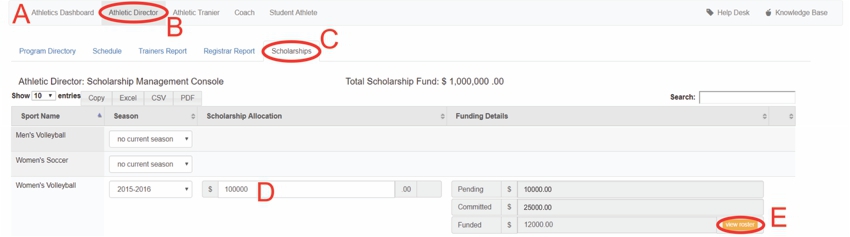
A: Under Navigation go to "Athletics"
B: Click on "Athletic Director"
C: Click on "Scholarships"
D: Click to change the amount to be allocated to Women's volleyball
E: Click on "view roster"
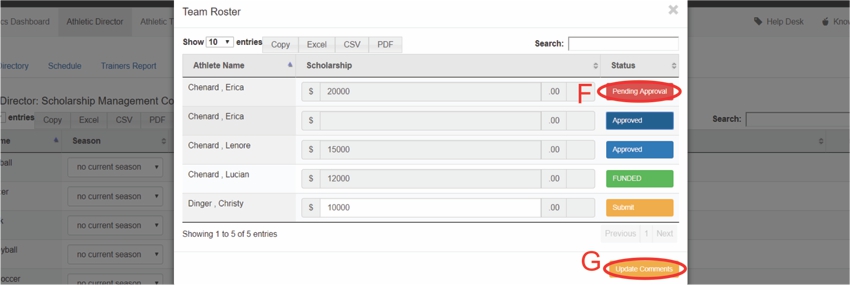
F: Click on "Pending Approval"
- It will turn blue and say "Approved"
G: Click on "Update Comments"
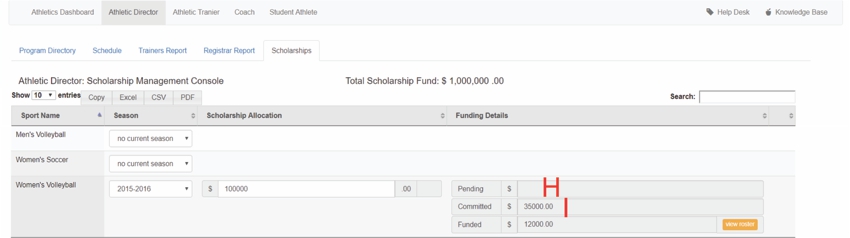
H: The pending total has decreased
I: The committed total has increased