Athletic Trainer: Incident Reports

Athletic Trainer: Incident Reports

A: Under Navigation go to "Athletics"
B: Click on "Athletic Trainer"
C: Click on "add new treatment"
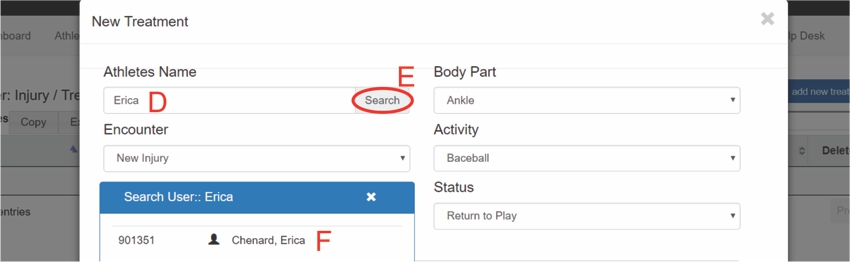
D: Type in the Athlete's name
E: Click on "Search"
F: Click on the athlete
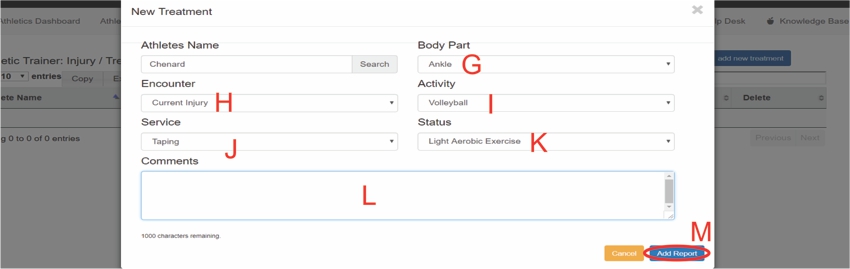
G: Select the injured body part
H: Indicate if it is a current or previous injury
I: Select the sport the athlete plays
J: Select what treatment was given to the athlete
K: Indicate what level of activity the athlete is cleared for
L: Add a comment (optional)
M: Click on "Add Report"

N: Report was successfully added
O: Click on "Manage" to edit
P: Click on "Delete" to remove the report
All articles in the Knowledge Base have been submitted by one of our users, from one of our member schools (colleges / universities).
If you would like to become a Knowledge Base contributor please contact us through the Help Desk and let us know of your interest.

(c) 2018 Oasis Technologies | Orlando, Florida USA